Field note 28/ Web Design
Small Business Website Examples: Six Client Walkthroughs
See how six ComCreate client websites help visitors find services, explore locations, request appointments, and choose products.
A contractor, a dental practice, a preschool, and an online shop ask visitors to do different things. Their websites should make those tasks easy to understand.
Here are six ComCreate projects and the choices visible on their websites. We captured these pages on September 22, 2026. These are design observations, not a test showing that a layout caused a particular revenue or conversion result.
EM Landscape & Design: identify the service and the area
A homeowner first needs to know whether the business handles their kind of outdoor project and serves their location. EM Landscape names landscape design and San Diego in the opening section, then offers both an estimate link and a phone option.
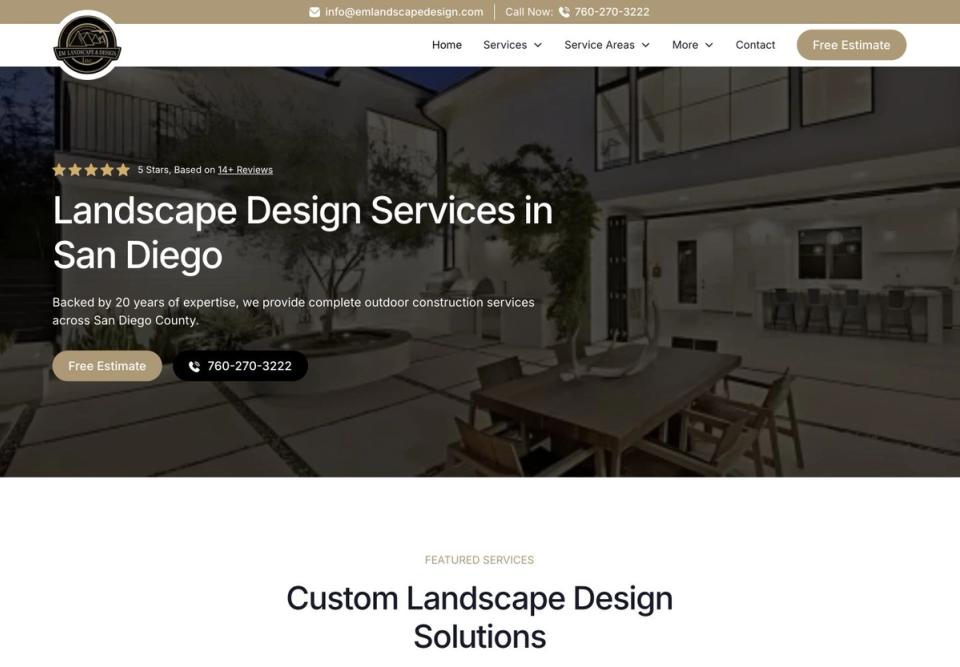
The practical lesson is to answer the basic fit question before asking someone to contact you. Place the contact choice near that explanation and test where it leads.
BNC Builders: make services and credentials findable
BNC Builders places its contractor license number in the header and groups the Services menu into interior and exterior work. Individual service links on the homepage include kitchen remodeling, bathroom remodeling, and ADUs. A homeowner can locate the type of work they need before starting a project inquiry.
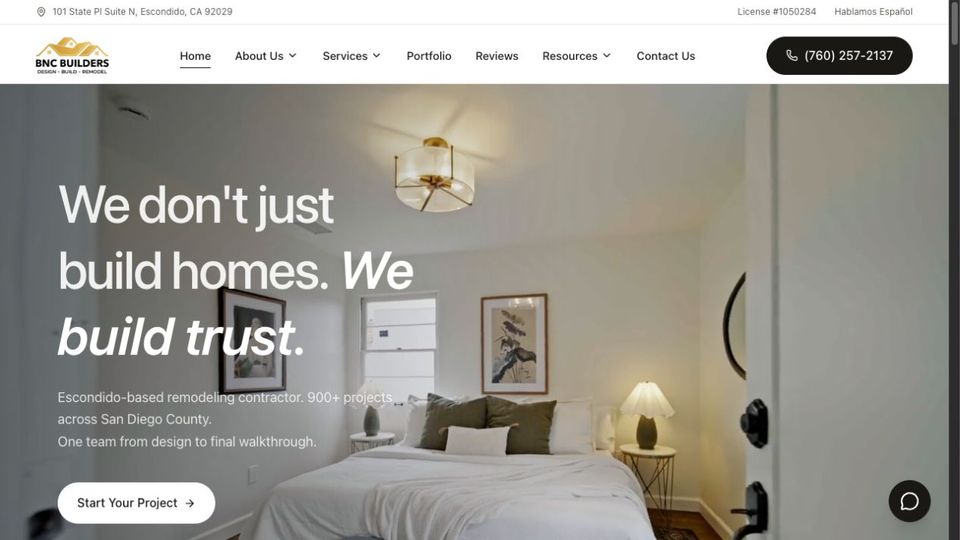
Make the information used to choose a contractor easy to find. A displayed license number is useful context, but this walkthrough does not independently verify its status.
Four Corners Concrete Coatings: introduce the options
Someone researching a garage or commercial floor may not know which coating system fits the space. Four Corners introduces epoxy, polyaspartic, and polished concrete near the top of the page, then offers a route to explore the systems.
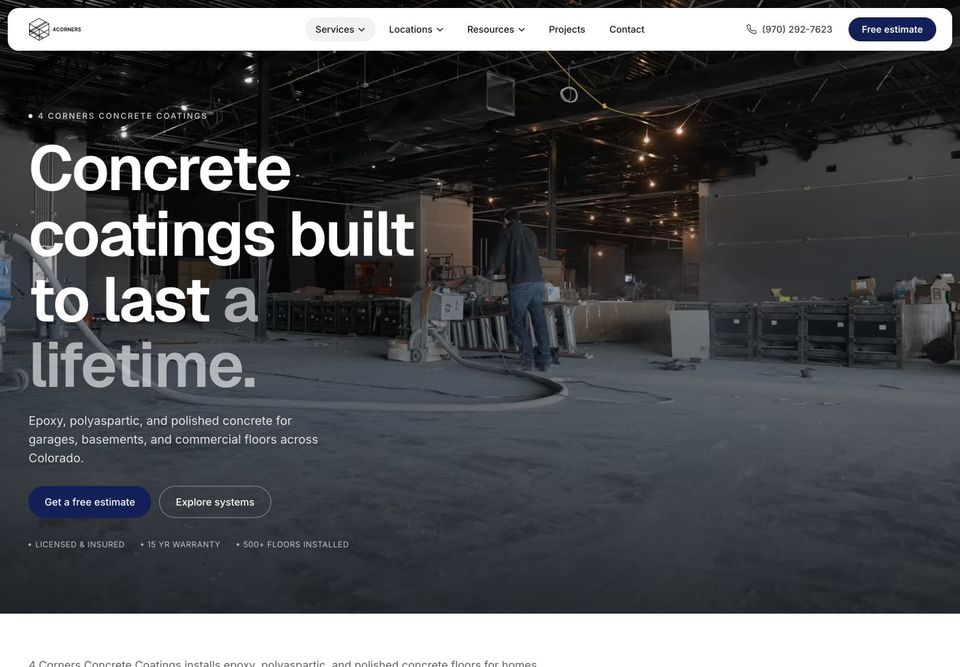
An overview should help visitors orient themselves. Use linked service pages to explain differences and questions to discuss before requesting a quote.
Salt Creek Dental: set expectations for appointment requests
Salt Creek Dental gives visitors a phone number and an appointment-request form near the start of the homepage. The form says the practice will follow up, so it is a request for an appointment rather than a confirmed booking.
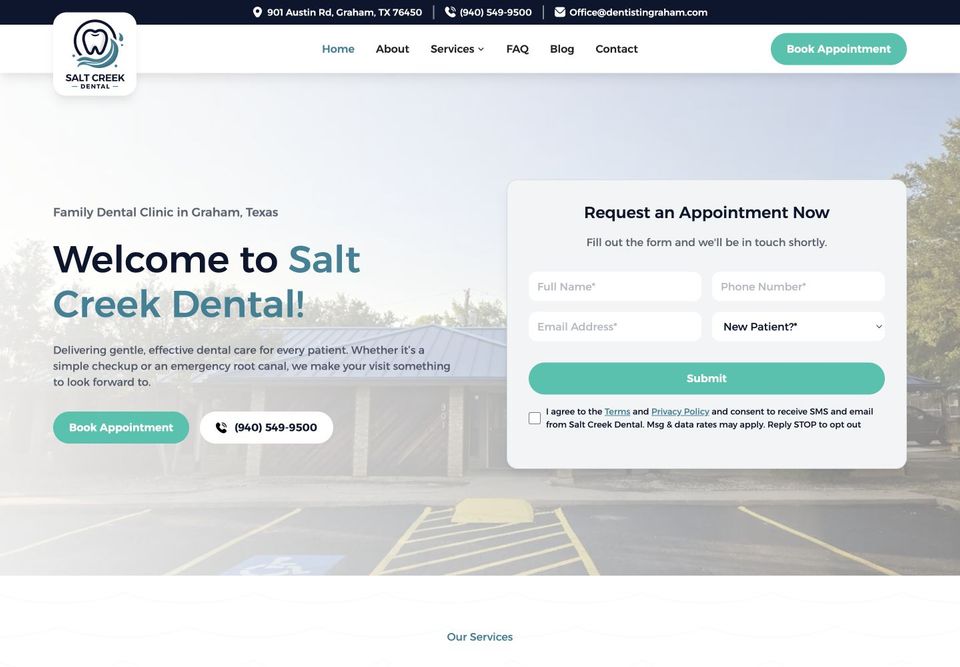
Use accurate language around forms. A request, a callback, and a confirmed reservation are different experiences. Tell people which one to expect.
Casita Azul: separate programs from locations
Parents need to understand both the kind of care offered and where it is available. Casita Azul provides distinct Programs and Locations navigation, with preschool and daycare context and enrollment information in the opening section.
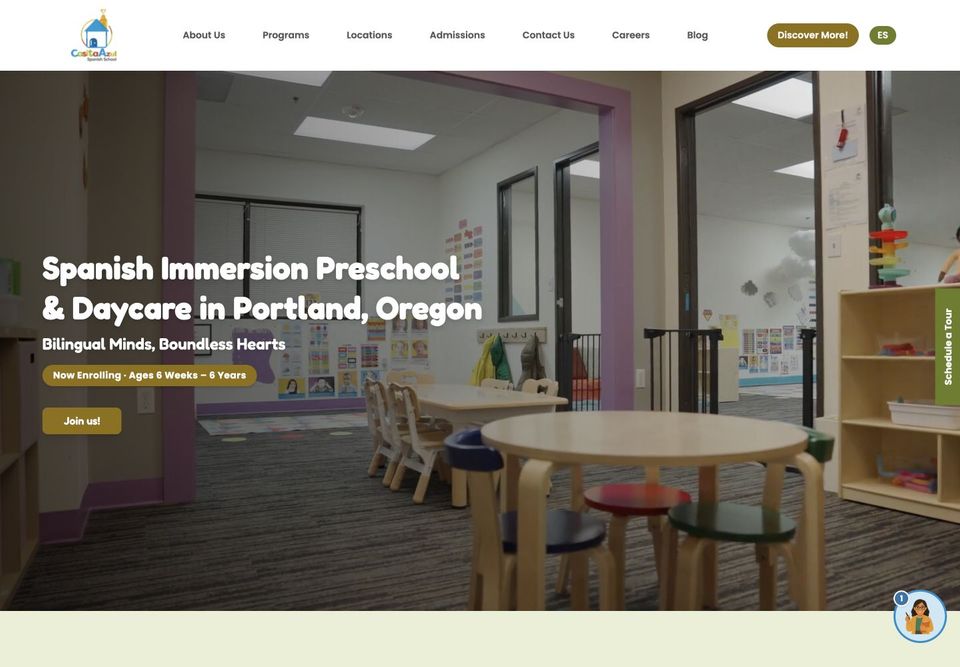
Separate choices that answer different questions. Keep each location and program page useful on its own, with current details rather than repeated generic descriptions.
All Terrain Performance: start with the vehicle
For an automotive shop, the vehicle can change which products are relevant. All Terrain Performance puts year, make, model, and trim controls near the beginning of the shopping journey.
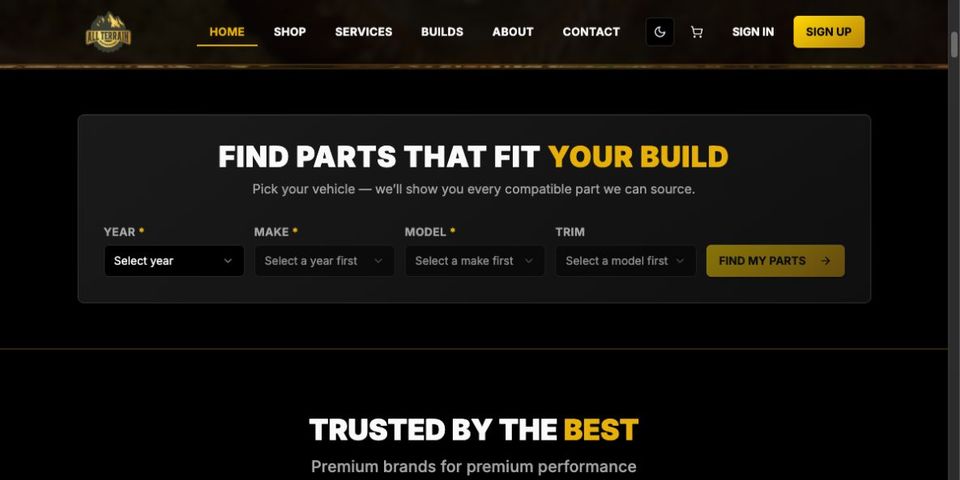
Ask for information that changes the available choices. This review shows the starting controls; it does not certify product compatibility or a completed selection and purchase flow.
A useful starting structure
For a local service website, begin with a clear service introduction, relevant location information, detailed service pages, credible project or business information, and a contact route the team can support. Check that the navigation, phone links, and forms work on small screens.
The right structure depends on the visitor. A product selector may belong near the start of a shop, while a practice needs clear information about requesting an appointment. Copy the reasoning behind an example, not every feature on the page.
Read our ten website design lessons, explore web engineering, or talk to us about your website.
For small-business projects, explore our website design services, pricing, and client work, or request a quote.