Customer-facing products
Portals, configurators, storefronts, account areas, and interfaces that carry a customer through a complete task.
Build / Application Development
Production web apps, dashboards, storefronts, and internal tools with the authentication, payments, real-time data, and integrations each workflow requires. Built on Next.js and Vercel.
Start with the work
A public site, an internal interface, and the systems behind them are often one product. We define how the work moves, then shape the interface and data around that path. Production services that need flexible deployment often run on Railway.
A person or system starts the work.
The product records context, ownership, and status.
Rules, permissions, or a reviewer determine the next action.
Payments, messages, CRM, or another system receives the result.
The workflow closes with a visible record and a next owner.
One shared record
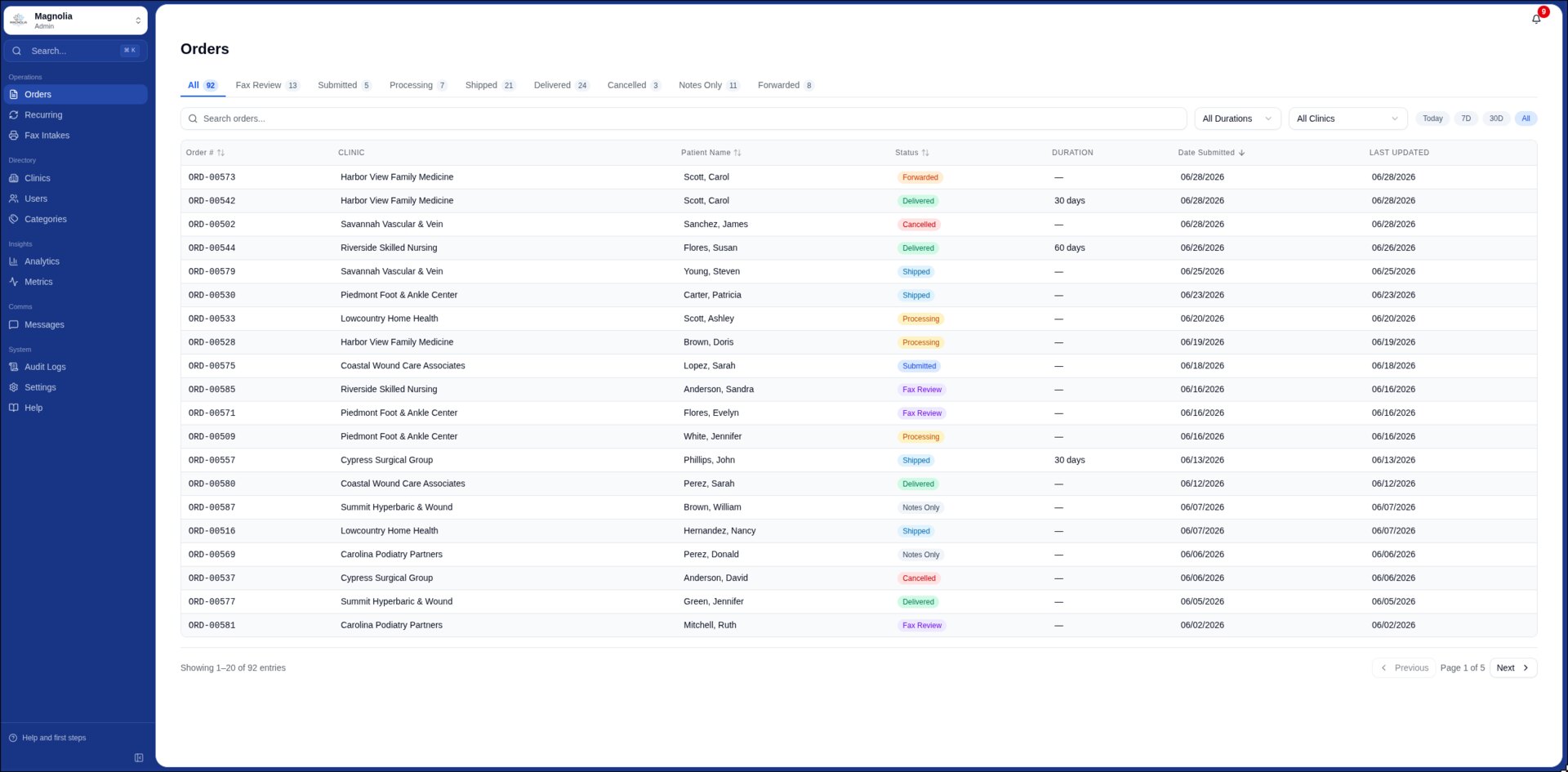
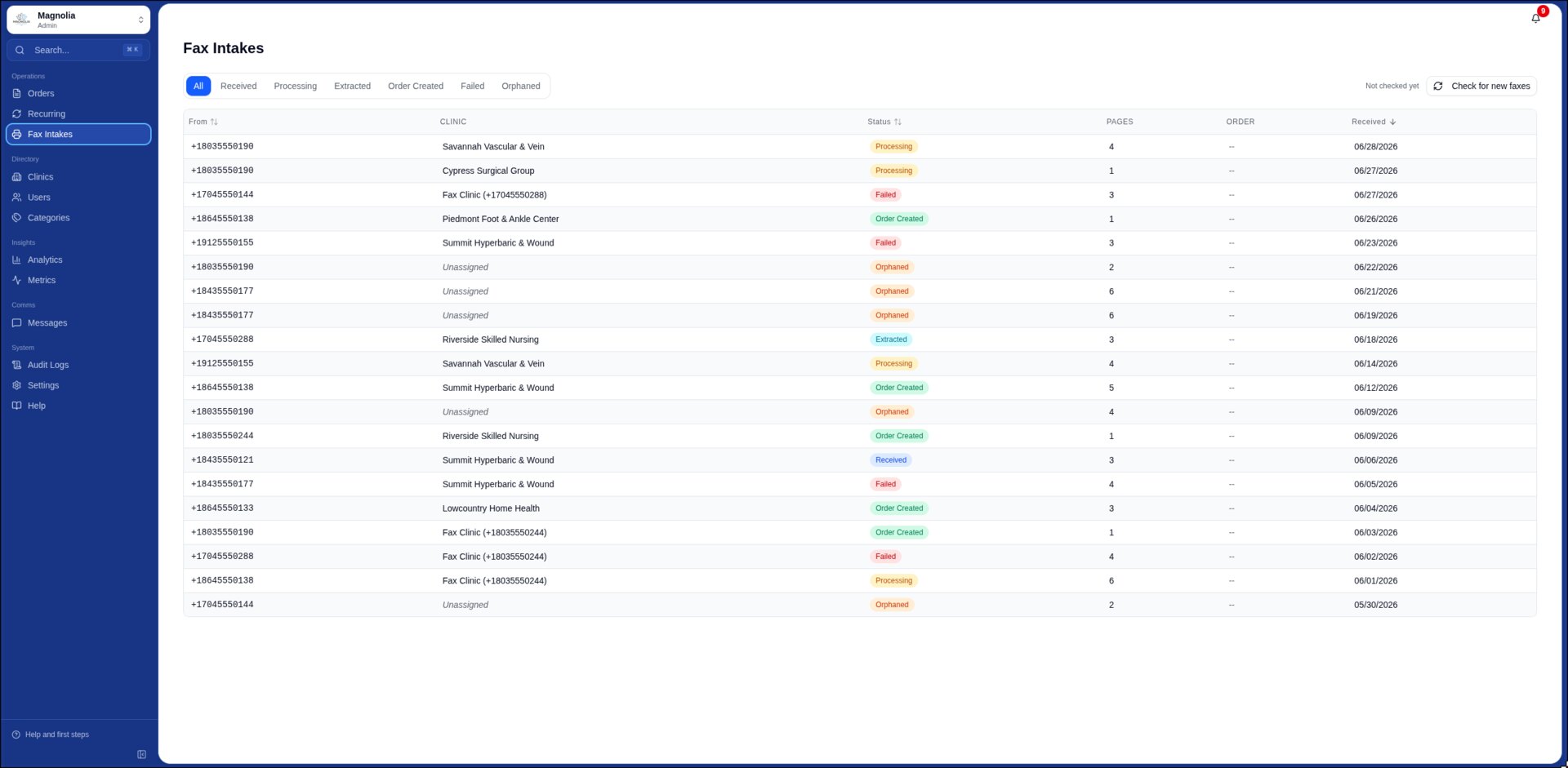
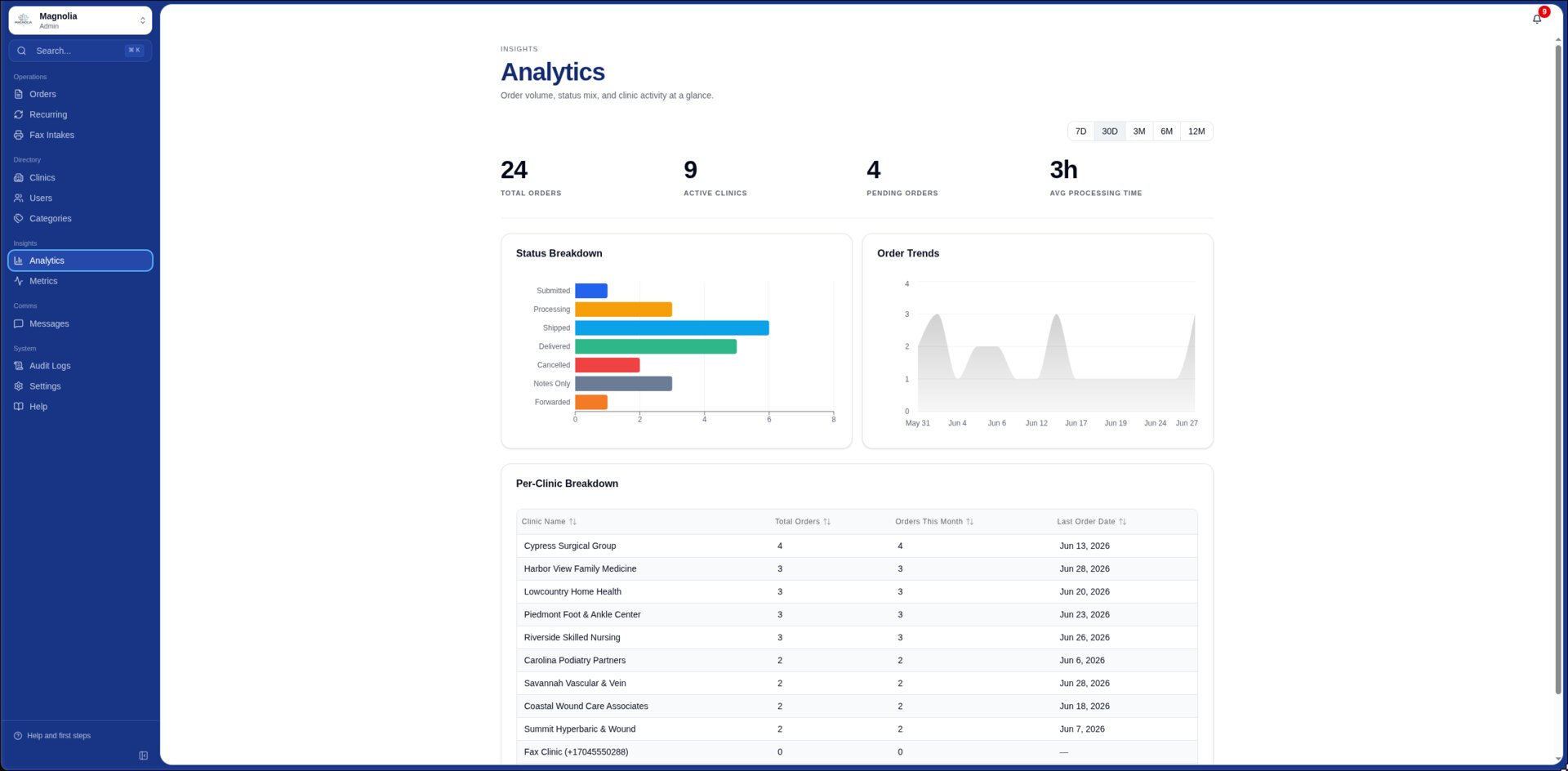
Magnolia Medical Supply now runs a public site, a headless storefront, and an operations dashboard against one shared system of record. Fax intake, catalog, orders, and fulfillment resolve to the same domain model.
Read the Magnolia caseWhat gets built
Portals, configurators, storefronts, account areas, and interfaces that carry a customer through a complete task.
Dashboards and internal tools built around the queues, decisions, exceptions, and records a team handles every day.
Domain models, authentication, roles, and access boundaries designed around the product’s ownership rules.
External systems connected with explicit failure handling, reconciliation, and a record of what happened.
Product delivery
Name the actors, records, decisions, exceptions, and outcome before drawing screens.
Put the primary flow in front of the people who will operate it and resolve ambiguity early.
Implement data, permissions, payments, messaging, and external integrations against working environments.
Validate the normal path, failure states, permissions, retries, and handoff using realistic records.
Wrong fit
Custom software earns its cost when the workflow, ownership model, permissions, or integrations create durable operating value. If an existing product supports the work without material compromise, use it and keep the system simpler.
Questions
The useful questions concern workflow, data ownership, permissions, integrations, and operation after handoff.
Show us the workflow